I used to think that if I wanted to be productive, I’d need to go out and drop a small fortune on one of those sleek, minimalist desks you see in glossy magazines—the kind that looks beautiful but doesn’t have a single drawer for a stray charging cable. Honestly, looking at those overpriced, “aesthetic” setups just makes my head spin. You don’t need a designer showroom to get things done; you just need a corner of the house that doesn’t make you want to crawl back into bed. I’ve spent years learning that the best home office setup ideas aren’t found in a high-end catalog, but in how you actually use the space you already have without breaking the bank.
I’m not here to sell you on fancy gadgets or expensive ergonomic chairs that cost more than my first car. Instead, I want to share the practical, budget-friendly ways I’ve learned to organize a workspace that actually stays organized. We’re going to talk about lighting that won’t give you a headache, clever ways to hide the clutter, and how to make a tiny nook feel like a real place of business. My goal is to help you build a setup that works for your life, not the other way around.
Table of Contents
Small Space Office Organization for a Tighter Schedule
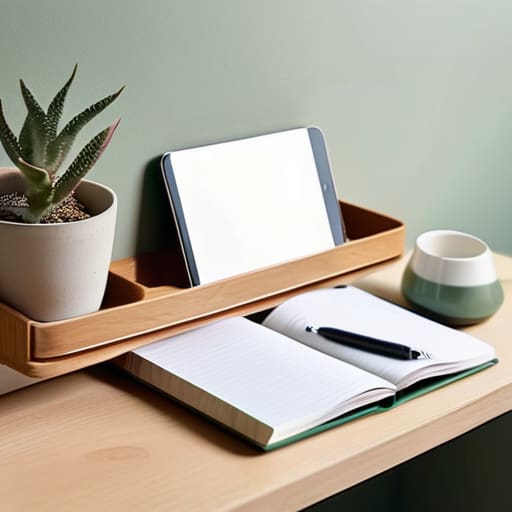
When you’re working out of a corner of the dining room or a tiny nook in the bedroom, clutter is your biggest enemy. I’ve learned the hard way that if my papers are piling up next to my coffee mug, my brain starts feeling just as messy. For effective small space office organization, I swear by verticality. Instead of letting everything sprawl across your desk, grab a few inexpensive floating shelves or a sturdy pegboard. It gets the pens, notebooks, and chargers off your workspace, leaving you room to actually breathe while you work.
I also try to keep things simple to avoid that feeling of being overwhelmed. You don’t need a massive command center; sometimes, a minimalist remote work aesthetic is actually better for your focus. If you can, tuck your supplies into a small rolling cart that you can wheel into a closet at the end of the day. It’s a lifesaver for keeping your work life from bleeding into your evening relaxation. When your tools have a specific home, you spend less time hunting for a stapler and more time actually getting things done.
Smart Dual Monitor Workstation Layouts for Efficiency
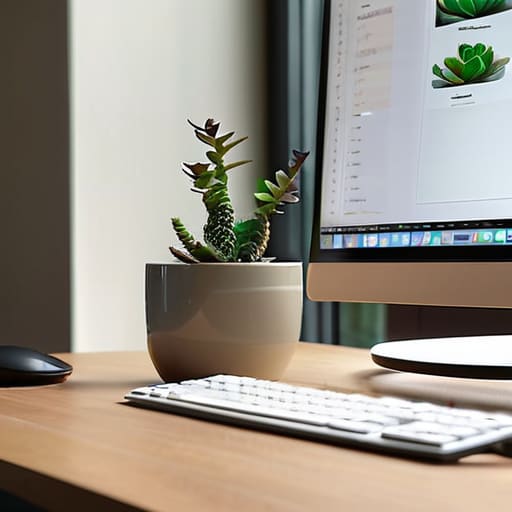
Now, I know what you’re thinking—two screens sound like a lot of clutter, especially if you’re working from a corner of the dining room. But once you get the hang of a proper dual monitor workstation layout, you’ll wonder how you ever lived without it. I used to jump back and forth between tabs like a caffeinated squirrel, losing my place every single time. Now, I keep my main work document front and center and pop my email or my budget spreadsheet on the side. It keeps my eyes from darting around too much, which really helps when the afternoon slump hits.
The trick is making sure they aren’t fighting you. You don’t want to be craning your neck left and right all day; that’s a one-way ticket to a tension headache. Try to angle them in a slight “V” shape so they both face you directly. And please, don’t skimp on your seating while you’re setting this up. Even the best screen layout won’t save you if you don’t understand the ergonomic desk chair benefits that come with having proper back support. If your setup feels balanced, your brain will follow suit.
Five Simple Ways to Make Your Workspace Feel Less Like a Chore
- Get your lighting right so you aren’t squinting by 3 PM. You don’t need a fancy designer lamp; just place a small desk lamp on the side opposite your writing hand to cut down on shadows, and if you can, position your desk near a window to catch some natural light.
- Clear the “visual clutter” that eats at your focus. I’ve learned the hard way that a pile of mail or a stray coffee mug can make my brain feel scattered, so keep a small tray or a dedicated basket on your desk to catch things that don’t belong there immediately.
- Invest in your back, even if it’s just a little bit. You don’t need a thousand-dollar ergonomic chair, but please don’t work from the kitchen stool or the sofa all day—find a sturdy chair and add a firm lumbar pillow to keep your posture from collapsing by lunchtime.
- Keep your essentials within arm’s reach but out of sight. Use a small drawer organizer or even some old muffin tins to keep your pens, paperclips, and sticky notes from rolling around; if you have to hunt for a highlighter every ten minutes, you’re losing your momentum.
- Create a “closing time” ritual to help you switch off. When the workday is done, take two minutes to tidy your desk and write down your top three tasks for tomorrow; it helps signal to your brain that the office is closed and you can finally relax.
Making It All Stick
Don’t feel like you have to buy everything at once; start with one small change, like a better lamp or a single organizer, and see how it feels before spending more.
Keep your most-used tools within arm’s reach so you aren’t constantly breaking your focus to hunt for a pen or a charger.
At the end of every workday, take just five minutes to clear your desk so you aren’t walking into a mess the next morning.
## A Little Wisdom for Your Workspace
“Your desk doesn’t need to look like a showroom in a fancy magazine to be effective; it just needs to be a place where you aren’t constantly fighting against the clutter or the lighting just to get through your to-do list.”
Marion Kessler
Making It Your Own
At the end of the day, setting up a home office isn’t about having a Pinterest-perfect desk or the most expensive gadgets on the market. It’s about making sure your space actually supports the way you work. We’ve talked about keeping things organized when you’re short on time and how a smart monitor layout can stop that mid-afternoon brain fog from setting in. Whether you’re working from a tiny corner of the dining room table or a dedicated spare bedroom, the goal is to remove the friction from your day. When you have a clear spot for your papers and a screen that doesn’t make you squint, you’re not just tidying a room—you’re protecting your focus and your sanity.
Please remember that your workspace is allowed to grow and change right along with you. You don’t have to get it perfect on day one, and you certainly don’t need to spend a fortune to see an improvement. Start with one small change—maybe it’s just clearing off the clutter or adding a decent lamp—and see how it feels. A good home office should feel like a tool that works for you, not a chore you have to manage. Take it one step at a time, and soon enough, you’ll have a little corner of the world that makes every workday feel a bit more manageable.
Frequently Asked Questions
How much should I actually spend on a good desk chair without breaking the bank?
Look, I’ve learned the hard way that buying a cheap $50 chair from a big-box store is actually more expensive in the long run because your back will pay the price. If you can, aim for the $150 to $300 range. That’s the sweet spot where you get real lumbar support without a designer price tag. Honestly? Keep an eye on local office liquidators—you can often snag a high-end, used ergonomic chair for a steal.
If I'm working from a corner of my living room, how do I keep my work stuff from making the whole house feel messy?
I’ve been there—trying to work while the laundry pile stares you down from across the room. My trick? Create a “visual boundary.” Even if you don’t have a separate room, use a small rug to define your workspace, or a folding screen to hide the monitors when the clock hits five. Most importantly, get a sturdy basket or a decorative bin. At the end of the day, everything goes in the bin, lid on, and work is officially “out of sight.”
Are those fancy standing desks worth the investment, or can I get the same results with a simple riser?
Look, I’ll give it to you straight: if your budget is tight, don’t feel pressured to drop hundreds on a motorized standing desk. A sturdy, reliable riser does the job just fine for getting your screen to eye level. However, if you find yourself wanting to switch between sitting and standing several times a day, that motorized desk is worth the splurge. It saves your back and your sanity without the constant lifting.